WhatsApp Business API: The Complete Guide for 2026

WhatsApp has over 2.8 billion monthly active users, making it the largest messaging platform on the planet. For businesses, the WhatsApp Business API is the gateway to reaching customers on the channel they already use every day. This comprehensive guide covers everything you need to know about the WhatsApp Business API in 2026, from initial setup and green tick verification to message templates, automated flows, and real-world pricing.
Whether you are a small e-commerce store looking to send order updates, a growing SaaS company that wants to automate onboarding, or an enterprise managing thousands of customer conversations daily, the WhatsApp Business API provides the infrastructure to do it all. Unlike the free WhatsApp Business App, the API is built for scale, letting you integrate WhatsApp into your CRM, support tools, and unified marketing platform with full programmatic control. Let us walk through every aspect of getting started and getting results.
What Is the WhatsApp Business API?
Before diving into the technical details, it helps to understand where the WhatsApp Business API sits within the WhatsApp product family. Meta offers three distinct WhatsApp products, and choosing the right one depends on the size and needs of your business.
The standard WhatsApp Messenger is the personal app used by billions of consumers. It is free, tied to a single phone number, and has no business features beyond basic group chats. The WhatsApp Business App, also free, adds a business profile, quick replies, labels, and catalog support. It works well for solo entrepreneurs and very small teams, but it is limited to four linked devices and offers only basic automation through away messages.
The WhatsApp Business API is an entirely different product. It is not a downloadable app; instead, it is a programmable interface that connects WhatsApp to your backend systems. The API supports unlimited agent seats, full CRM integration, rich automation through chatbots and flows, broadcast messaging without recipient caps, and the ability to apply for the green tick verification badge. Here is a side-by-side comparison:
| Feature | WhatsApp App | Business App | Business API |
|---|---|---|---|
| Price | Free | Free | Per conversation |
| Devices | 1 phone | 4 devices | Unlimited |
| Automation | None | Basic | Full |
| CRM Integration | No | No | Yes |
| Broadcast Limit | 256 | 256 | Unlimited |
| Green Tick | No | No | Yes |
To access the WhatsApp Business API, you must work through a Business Solution Provider (BSP) such as PostDog. BSPs handle the technical infrastructure, webhook management, and hosting so that you can focus on building great customer experiences rather than managing servers.
WhatsApp Business API Pricing in 2026
Understanding WhatsApp Business API pricing is essential before you commit to the platform. Meta uses a conversation-based pricing model, which means you pay per 24-hour conversation window rather than per individual message. Once a conversation is opened, you can exchange as many messages as needed within that window at no additional cost.
Conversations fall into four categories, each with different rate cards. Utility conversations cover transactional messages like order confirmations, shipping updates, and account notifications. Authentication conversations are used for one-time passcodes and login verification. Marketing conversations include promotions, product announcements, and re-engagement campaigns. Service conversations are initiated by the customer and cover support requests and general inquiries.
The good news is that Meta provides 1,000 free service conversations per month for every WhatsApp Business API account. This means that inbound customer support is essentially free for most small and mid-sized businesses. Marketing conversations cost the most, typically ranging from $0.05 to $0.08 per conversation in the United States, with rates varying by country. Utility and authentication conversations are priced lower, generally between $0.01 and $0.03.
There are several strategies to reduce your WhatsApp API costs. First, respond to customer messages within the 24-hour service window to keep conversations in the free service category. Second, batch your marketing campaigns so that you send multiple messages within a single conversation window instead of opening new conversations. Third, optimize your templates to reduce rejection rates, which waste time and delay campaigns. For a detailed breakdown of plan options, visit our pricing page.
Keep in mind that BSP fees are separate from Meta's conversation charges. Some providers charge per message, per conversation, or a flat monthly rate. PostDog includes BSP infrastructure in the platform price, so the only variable cost you pay is Meta's per-conversation fee with no hidden markup.
How to Get Started in 5 Steps
Setting up the WhatsApp Business API may sound complex, but the process has become significantly more streamlined in 2026. Most businesses can go from zero to sending their first template message in under a week. Here is the step-by-step process:
Step 1: Create a Meta Business Account. Visit business.facebook.com and create a Meta Business Account if you do not already have one. This is the central hub for managing your WhatsApp API access, Facebook pages, and ad accounts. You will need a business email address and basic company information to get started.
Step 2: Verify your business. Meta requires business verification before granting API access. You will need to submit legal documents such as a business registration certificate, utility bill, or tax filing that matches your business name and address. The verification process typically takes two to five business days, though it can be faster for well-established businesses with strong online presence.
Step 3: Choose a Business Solution Provider. Since the WhatsApp Business API is not a standalone app, you need a BSP to host and manage the integration. PostDog handles the entire technical setup, including webhook management, message queuing, and server hosting, so you do not need any developer resources to get started. Your BSP is your technical partner for the lifetime of your WhatsApp API usage.
Step 4: Register a dedicated phone number. You will need a phone number that is not already associated with any WhatsApp account, whether personal or Business App. This should be a dedicated business line. If you are migrating from the WhatsApp Business App to the API, you can transfer your existing number, but the process requires deleting the app first and waiting up to 24 hours.
Step 5: Submit your first message template for approval. Before you can proactively message customers, you need at least one approved message template. Write a clear, compliant template, submit it through your BSP dashboard, and wait 24 to 48 hours for Meta's review team to approve it. Once approved, you are ready to start sending.
Getting the Green Tick Verification
The green tick badge is the official verification mark that appears next to your business name in WhatsApp conversations. It signals to customers that they are communicating with a legitimate, Meta-verified business rather than a scammer or impersonator. For brands that rely on trust, especially in finance, healthcare, and e-commerce, the green tick can significantly improve message open rates and response rates.
To be eligible for the green tick, your business must meet several requirements. First, you need a fully verified Meta Business account with all documentation approved. Second, your WhatsApp Business API account must be active with a history of sending compliant messages. Third, your brand should be notable, meaning it has a recognizable presence outside of WhatsApp through a website, social media accounts, press coverage, or industry recognition.
To apply, navigate to your Meta Business Manager, then go to WhatsApp Manager, select Phone Numbers, and click Request Verification. You will be asked to provide supporting links that demonstrate your brand's notability, such as news articles, Wikipedia pages, or verified social media profiles. The review process typically takes two to four weeks, and Meta does not guarantee approval.
Common rejection reasons include insufficient brand notability, a mismatch between the business name on your WhatsApp profile and your legal business name, or a lack of an active website. To improve your chances, ensure your website is live with a professional design, maintain active social media profiles with consistent branding, and gather any press coverage or industry mentions you can link to. If your application is rejected, you can reapply after 30 days with additional supporting evidence.
One important note: the green tick is not required to use the WhatsApp Business API. Many successful businesses operate without it. However, if brand trust is a priority for your industry, it is worth pursuing early in your WhatsApp journey.
Message Types and Templates
The WhatsApp Business API uses two fundamentally different message types, and understanding them is critical to managing costs and compliance. Session messages are free-form messages you can send within a 24-hour window after a customer contacts you. During this window, you can send text, images, videos, documents, and interactive buttons without needing a pre-approved template. This is your customer service window, and it is free for the first 1,000 conversations per month.
Template messages are pre-approved message formats that you can send to customers at any time, even outside the 24-hour service window. Every template must be submitted to Meta for review before you can use it. Templates fall into three categories: Utility templates for transactional updates like order confirmations and delivery notifications, Authentication templates for OTP codes and login verification, and Marketing templates for promotions, product launches, and re-engagement campaigns.
To get your templates approved quickly, follow these best practices. Write clear, specific content that tells the reviewer exactly what the message is about. Avoid shortened URLs like bit.ly, as Meta flags these for potential abuse. Always include an opt-out mechanism in marketing templates, such as "Reply STOP to unsubscribe." Use proper grammar and avoid excessive capitalization or emoji that could make the message look spammy.
Templates support dynamic variables using the {{1}} placeholder syntax, allowing you to personalize messages with customer names, order numbers, appointment times, and other dynamic data. Here are examples of common templates:
- Order confirmation: "Hi {{1}}, your order #{{2}} has been confirmed and is being prepared. Estimated delivery: {{3}}. Track your order here: {{4}}"
- Appointment reminder: "Hi {{1}}, this is a reminder that your appointment with {{2}} is scheduled for {{3}} at {{4}}. Reply YES to confirm or RESCHEDULE to change."
- Promotional offer: "Hi {{1}}, we have a special offer just for you! Get {{2}}% off your next purchase with code {{3}}. Valid until {{4}}. Shop now: {{5}}. Reply STOP to opt out."
Each template also supports header media (images, videos, or documents), footer text, and interactive buttons such as quick reply buttons and call-to-action URLs. These rich formats dramatically increase engagement compared to plain text.
Building Automated WhatsApp Flows
WhatsApp Flows are interactive, multi-step conversations that guide customers through a structured experience without requiring a live agent. They combine the conversational nature of WhatsApp with the logic of a traditional web form, allowing you to collect information, present options, and trigger actions all within the chat interface. For businesses handling high volumes of repetitive interactions, flows can reduce support costs by 40 to 60 percent.
Here are five essential automation flows that every business should consider building:
1. Welcome flow. When a new contact messages your business for the first time, an automated welcome flow greets them, introduces your brand, and collects their preferences. This might include asking what products they are interested in, what language they prefer, or how they heard about your business. The data collected feeds directly into your WhatsApp CRM for segmentation.
2. FAQ bot. An FAQ automation answers the most common customer questions instantly, such as business hours, return policies, shipping costs, and product availability. By deflecting routine questions, you free up your human agents to focus on complex issues that actually require personal attention. A well-designed FAQ bot can handle 60 to 70 percent of inbound queries without any human intervention.
3. Order tracking. Connect your e-commerce platform to WhatsApp via webhooks to send automated delivery updates. When an order status changes in your Shopify store or fulfillment system, a webhook triggers a WhatsApp message with the updated tracking information. Customers get proactive updates without having to ask, and your support team handles fewer "where is my order" inquiries.
4. Appointment booking. For service-based businesses, an appointment booking flow lets customers browse available time slots, select a date and time, and confirm their booking all within WhatsApp. The flow can integrate with Google Calendar or your scheduling software to show real-time availability and prevent double bookings.
5. Lead qualification. Sales teams can use a lead qualification flow to ask a series of qualifying questions, such as company size, budget range, timeline, and specific requirements. Based on the answers, the flow scores the lead and routes high-value prospects directly to a sales agent while sending lower-priority leads into a nurture sequence.
PostDog's visual flow builder lets you create all of these automations with a drag-and-drop interface. No coding is required. You can set up conditional logic, connect to external APIs, and test flows in a sandbox environment before deploying them to production.
WhatsApp Marketing Best Practices for 2026
WhatsApp marketing offers incredible engagement rates, with message open rates consistently above 95 percent compared to 20 percent for email. However, this power comes with responsibility. WhatsApp has strict policies to prevent spam, and violating them can result in your account being suspended or permanently banned. Follow these best practices to build a sustainable WhatsApp marketing strategy.
Get explicit opt-in before messaging. WhatsApp requires that customers actively consent to receiving messages from your business. This is not optional; it is a platform requirement enforced by Meta. Collect opt-ins through your website sign-up forms, checkout process, or in-person interactions. Store proof of consent for compliance purposes, and make it easy for customers to opt out at any time.
Respect timing and time zones. Send messages during business hours in the recipient's local time zone. A promotional message at 2 AM is not just annoying; it increases your block rate, which directly impacts your WhatsApp quality rating and can restrict your sending limits. Most businesses find that messages sent between 10 AM and 2 PM on weekdays generate the best engagement.
Personalize every message. Use the customer's first name, reference their purchase history, and send segment-specific offers rather than generic blasts. A message that says "Hi Sarah, the running shoes you viewed last week are now 20% off" will outperform "Hi, check out our sale" by a wide margin. Personalization is the difference between a welcome message and spam.
Limit message frequency. Even with opt-in consent, sending too many messages will cause customers to block your number. Two to four marketing messages per week is a reasonable maximum for most businesses. Monitor your block rate and unsubscribe rate closely. If either metric rises above 2 percent, reduce your sending frequency immediately.
Use rich media and interactive elements. WhatsApp supports images, videos, PDFs, location sharing, and interactive buttons. A product image with a "Buy Now" button will drive more conversions than a text-only message. Use carousel templates to showcase multiple products, and include call-to-action buttons that link directly to your checkout page or booking form.
A/B test your templates. Create multiple versions of your templates with different CTAs, message lengths, images, and send times. Run each variant with a small segment of your audience, measure click-through and conversion rates, and then roll out the winning version to your full list. Even small improvements compound over time as you send thousands of messages per month. Track your performance using metrics that actually matter.
Stay compliant with privacy regulations. If you operate in the EU, you must comply with GDPR requirements for data collection, storage, and processing. In the United States, CCPA applies to California residents. Ensure your WhatsApp marketing practices align with these regulations, including providing data access requests, deletion requests, and clear privacy disclosures.
WhatsApp CRM: Managing Contacts at Scale
As your WhatsApp subscriber list grows beyond a few hundred contacts, you need a proper CRM strategy to manage conversations, segment audiences, and maintain personalized communication. A WhatsApp CRM is not just a contact list; it is the operational backbone that connects your messaging to your broader business workflows.
Import contacts from multiple sources. Your WhatsApp contacts can come from CSV uploads, direct integrations with your existing CRM like HubSpot or Salesforce, or real-time syncs with your e-commerce platform. PostDog supports all of these import methods and automatically deduplicates contacts based on phone number, merging conversation history from multiple sources into a single unified profile.
Segment your audience intelligently. Effective segmentation goes beyond basic demographics. Segment contacts by purchase history to target repeat buyers differently from first-time shoppers. Use engagement data to identify active subscribers versus dormant ones. Apply location-based segments for region-specific promotions, and create lifecycle segments that track where each contact sits in your sales funnel, from new lead to loyal customer.
Use a team inbox for multi-agent support. When multiple agents handle WhatsApp conversations, you need a shared inbox with clear assignment rules. PostDog's team inbox lets you assign conversations to specific agents based on skill, language, or availability. Supervisors can monitor response times, reassign conversations, and track agent performance metrics. All conversations are logged with full history, so any agent can pick up where another left off.
Organize with labels and tags. Apply labels and tags to contacts and conversations for quick filtering and reporting. Common labels include "VIP Customer," "Pending Payment," "Requires Follow-up," and "Opted Out." Tags can also be applied automatically by your automation flows, for example, tagging contacts who completed a lead qualification flow with their expressed interests and budget range.
Integrate with your existing tools. A WhatsApp CRM should not exist in isolation. Connect it to your email marketing platform, helpdesk software, and e-commerce system to create a complete view of every customer interaction. PostDog integrates with HubSpot, Salesforce, Shopify, WooCommerce, and dozens of other platforms through native integrations and webhooks. Check out our full integrations directory for details.
Already using a WhatsApp platform? See how PostDog compares to WATI and AiSensy, or explore our HubSpot comparison for CRM integration details.
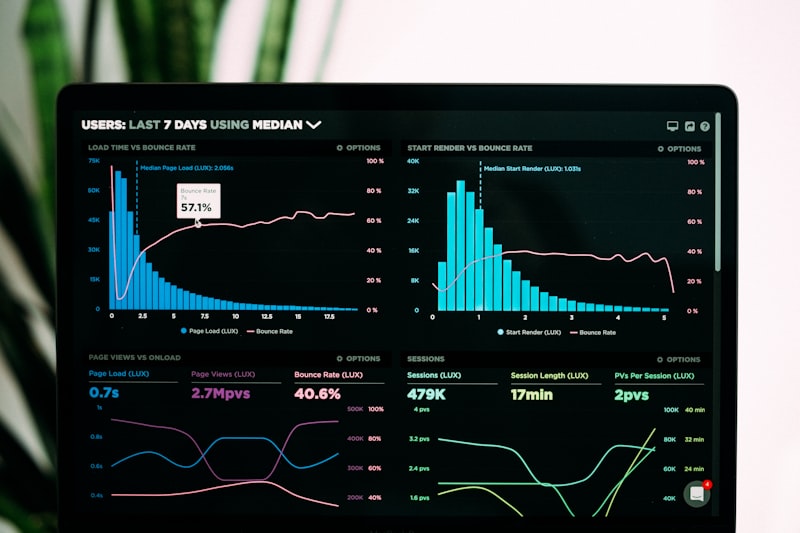
Track analytics that drive decisions. Monitor delivery rates, read rates, and reply rates for every campaign and automation. Identify which templates generate the most engagement, which segments respond best, and where contacts drop off in your flows. PostDog's analytics dashboard provides real-time metrics with exportable reports, giving you the data you need to continuously optimize your WhatsApp strategy.
"WhatsApp messages have a 98% open rate compared to 20% for email. That's the power of meeting customers where they are."
The WhatsApp Business API is no longer a nice-to-have; it is a critical channel for businesses that want to meet customers where they already spend their time. Whether you are just getting started or looking to scale an existing WhatsApp operation, the combination of the right BSP, well-designed templates, smart automation, and a solid CRM strategy will set you up for success. Ready to get started? Explore PostDog's plans and launch your WhatsApp Business API account today.